
Construction and Engineering · Rotterdam, the Netherlands
De Vries Renovatie & Installatie got 45 hours a week back in 7 days
A family-run contractor with 21 people, completing around 90 projects a year. They handle everything from kitchen refits to full commercial plumbing and electrical installations. The office team manages estimating, scheduling, and invoicing while field crews execute the work across the city.
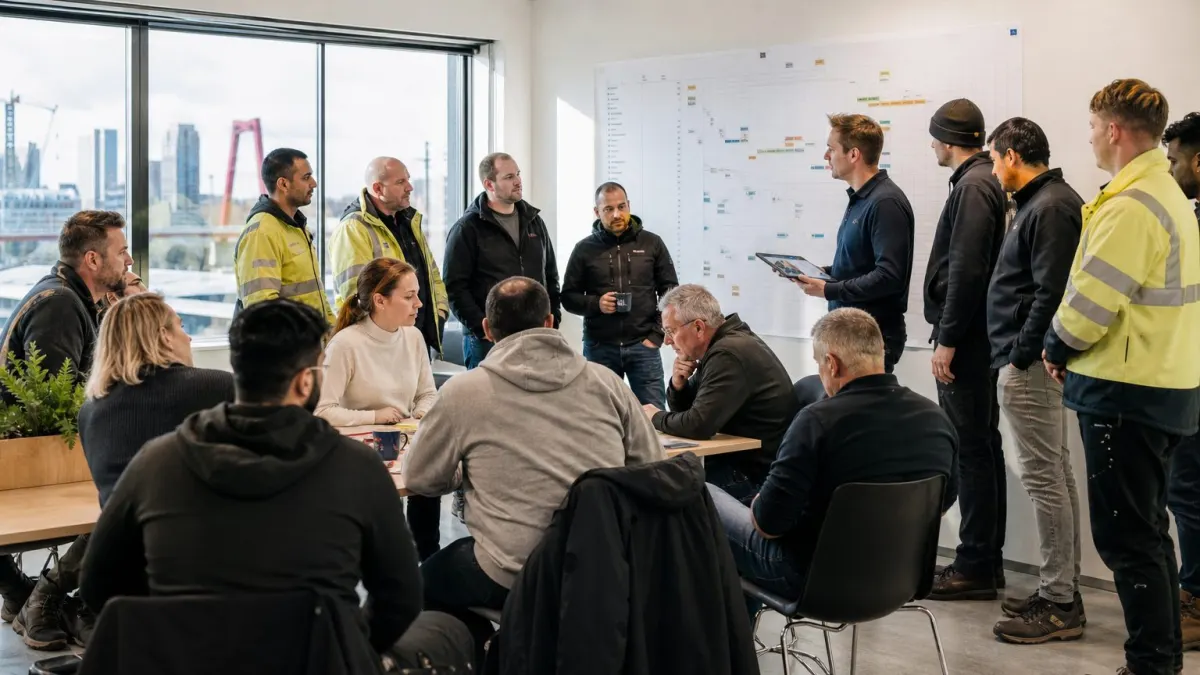
Morning huddle at the Rotterdam office: project managers align with field crews before heading to sites.
The business
Rotterdam renovation and installation contractor for homes and businesses
- Customers
- Homeowners, property managers, and small business owners in and around Rotterdam.
- Team
- 21 people
- Location
- Rotterdam, the Netherlands
Tools before we started
What they sell, share of revenue
The team
21 people, and what their AI now does for them
The questionnaire
What Daan de Vries told us before we started
Daan de Vries, Director, filled in the same questionnaire you can fill in today.
Manual data entry across estimating, scheduling, and invoicing.
Cut admin time by 40% so we can take on two extra projects per month without hiring office staff.
Data privacy of client information · Field workers not adopting new tools · AI misunderstanding complex project specs
Keep human
- Client consultations
- On-site problem solving
- Quality control walkthroughs
Take it off our plate
- Updating Excel spreadsheets
- Chasing late invoices
- Translating scribbled field notes into formal reports
- Scheduling crew across multiple projects
Our advice
Microsoft 365 Copilot, and the three things to automate first
Your company runs entirely on Microsoft 365 for documents, spreadsheets, and communication. Copilot plugs directly into that and can use your existing data, so you start getting help from day one without migrating anything.
Your tools today
We advise
Microsoft 365 CopilotFit 9/10Set up for 21 people, connected to your toolsAI takes over
- Quote Generator
- Voice-to-Report Site Logs
- Payment Reminder Workflow
- Crew Schedule Optimizer
Stays human, AI only supports
How each platform fit this business
What we advised to automate first
- Estimate and quote generation
- Site report compilation from voice notes
- Invoice follow-up reminders
Their 7 days
One Zoom session a day, from kick-off to AI-ready
- Day1
Audit & AI Roadmap
Director, office manager, lead estimatorIn a Zoom meeting, we mapped your current workflows for estimating, project reporting, and invoicing. Identified the top time-wasting tasks and set goals for the week.
- Day2
Copilot Setup & Data Connection
Director, office managerIn a Zoom call with screen sharing, configured Microsoft 365 Copilot with access to your SharePoint files, Outlook, and Excel templates. Set up security groups for different roles.
- Day3
Role-by-Role AI Configuration
Project managers, estimators, finance & HR officerIn a Zoom meeting, we built custom prompts and connected apps for each department: PM dashboards, estimator Excel models, and finance invoice alerts.
- Day4
Automation Building Sprint
Estimators, project managers, office managerIn a Zoom meeting, created the three core automations: estimate drafting, site report generator, and invoice reminder flow. Tested with real data.
- Day5
Mobile AI for Field Crews
Site supervisors, 4 field techniciansIn a Zoom meeting, showed site supervisors and field techs how to use voice notes in Teams and access safety docs on their phones. Set up quick templates.
- Day6
All-Hands Training & Practice
Entire teamLive Zoom training session with the whole team in their own meeting room, doing hands-on exercises: creating a quote, turning a voice memo into a report, and sending an automated invoice reminder.
- Day7
Handover & Documentation
Director, office managerIn a Zoom meeting, delivered custom training videos, written guides, and a maintenance plan. Reviewed next steps and set up a monthly check-in.

Consultant leads the team through voice-to-report training on Zoom, with field techs testing the mobile app at their own workplace.
Training
A live Zoom session, 6 custom videos and a plan per person
Live training on Zoom
A 90-minute hands-on Zoom workshop where every team member practiced their new daily AI routine, from field technicians recording voice notes to estimators drafting quotes.
Custom training videos
- ▶ How to Generate a Quote from an Email9 min
- ▶ Turning Voice Notes into Daily Reports6 min
- ▶ Automating Overdue Invoice Reminders5 min
- ▶ Quick Site Safety Checklist with AI4 min
- ▶ Using Copilot in Teams for Project Updates8 min
- ▶ Excel Estimating with AI Assistance10 min
Online training plan, per role
- Director
- Executive summaries and email delegation
- Project Manager
- Creating automated status reports
- Estimator
- Using AI for rapid cost lookups
- Office Manager
- Organizing digital files with Copilot
- Finance & HR Officer
- Invoice reconciliation with AI
- Site Supervisor
- Voice reporting and photo notes
- Field Technician
- Asking installation questions via Teams
Automations built
4 automations that now run every day
Quote Generator
9hper weekVoice-to-Report Site Logs
3hper weekPayment Reminder Workflow
2.5hper weekCrew Schedule Optimizer
4hper weekThe result
45 hours a week back, worth $93,200 a year
27 hours come from everyone using their own AI every day, 19 from the automations. Project turnaround time dropped by 15% because estimates go out faster. The office manager now handles invoicing without overtime, and site supervisors submit reports on the same day.
Where the hours come from, per week
Paid back in week 4
At $45 an hour, the time saved earns back the $7,700 in 4 weeks. Every week after that is profit.
back per year
value per year
Retainer: monthly. Monthly retainer covers Copilot license management, bi-monthly virtual check-ins, and two new automation tweaks per month based on user feedback.
The AI took the paperwork off my desk. I used to spend Fridays cleaning up invoices and schedules; now that happens automatically. The field guys actually enjoy the voice reports because they hate typing. We've taken on two extra renovation projects since going through the programme, and I'm not working longer hours.
Your business, AI-ready in 7 days.
Answer the questionnaire and get a free first plan, written for your team and your tools.