
Healthcare Providers and Clinics · Austin, Texas, USA
Sunset Ridge Dental got 49 hours a week back in 7 days
We are a family-run practice with two chairs per dentist, offering preventive, restorative, and cosmetic dentistry. Our team of 18 combines experience with gentle care, and we treat patients from toddlers to seniors. We pride ourselves on a personal touch and patient education.
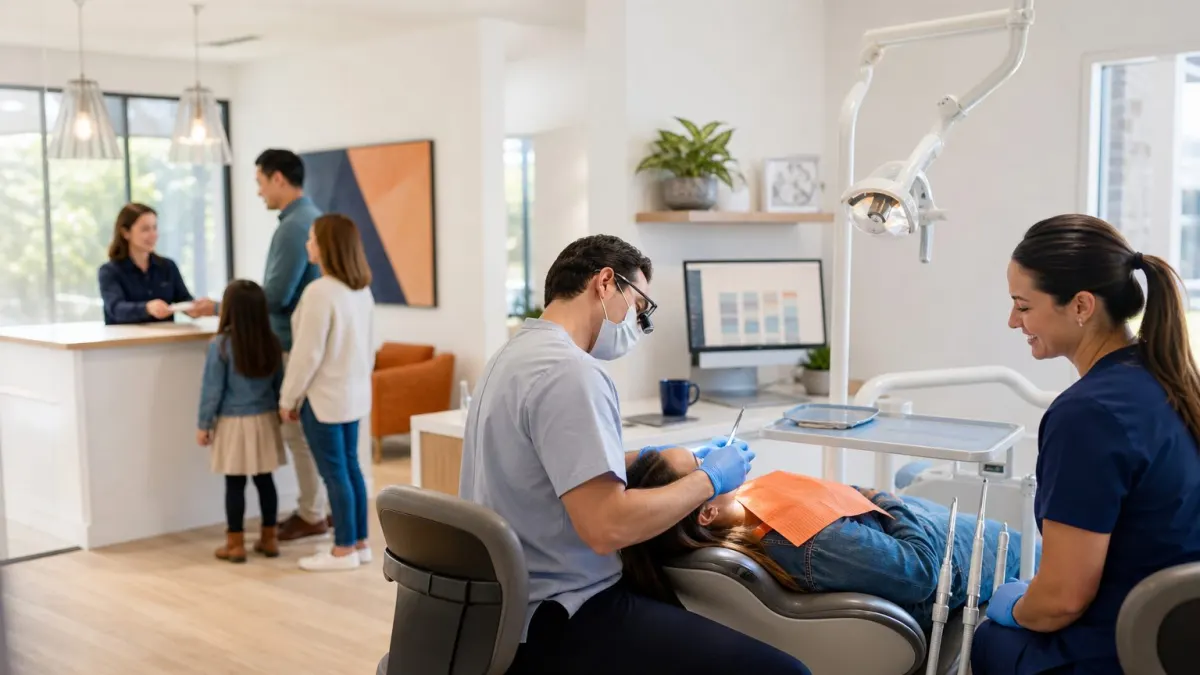
A calm, sunlit dental office in Austin: a dentist with a patient in the chair while a dental assistant smiles nearby, and in the background, the front desk team talks with a family at check-in. The Eaglesoft screen shows the day's schedule, and a Weave phone sits on the counter.
The business
Generations of healthy smiles for Austin families since 1995.
- Customers
- Local Austin families, professionals, retirees, and children from neighborhoods like West Lake Hills and Rollingwood.
- Team
- 18 people
- Location
- Austin, Texas, USA
Tools before we started
What they sell, share of revenue
The team
18 people, and what their AI now does for them
The questionnaire
What Dr. Laura Chen told us before we started
Dr. Laura Chen, Co-owner, Lead Dentist, filled in the same questionnaire you can fill in today.
Writing referral letters and explaining treatment plans multiple times.
Cut administrative busywork so we can spend more time with patients and leave work on time.
Will AI sound robotic with our patients? · Is patient data safe with all these new tools? · Will our team resist learning another system?
Keep human
- Building trust through face-to-face conversations
- Diagnosing and treatment planning complex cases
- Seeing long-term patient relationships grow
Take it off our plate
- Writing the same explanation for a crown procedure 15 times a day
- Manually copying patient data from Eaglesoft into Excel for monthly reports
- Handling insurance predetermination paperwork
- Chasing lab cases with phone tag
Our advice
Microsoft 365 Copilot, and the three things to automate first
Your practice already runs on Outlook, Word, and Excel, so Copilot works directly where your staff already lives. It also meets HIPAA requirements with Microsoft's Business Associate Agreement, and we configured it to respect your patient data boundaries.
Your tools today
We advise
Microsoft 365 CopilotFit 9/10Set up for 18 people, connected to your toolsAI takes over
- Auto-reply drafts for common patient emails
- Insurance predetermination letter generator
- Monthly production report auto-generator
- Patient education handout builder
Stays human, AI only supports
How each platform fit this business
What we advised to automate first
- Patient FAQs and appointment request replies
- Insurance predetermination letter drafts
- Monthly production and schedule utilization reporting
Their 7 days
One Zoom session a day, from kick-off to AI-ready
- Day1
AI Audit and Team Kickoff
All 18 team members (morning huddle extended)In a Zoom meeting, we mapped current workflows, identified biggest time drains using the questionnaire, and introduced the team to how AI will help. The whole team attended.
- Day2
Setting Up Individual AI Workspaces
Small groups by role: dentists, hygienists, front desk, billing, office managerIn small-group Zoom calls with screen sharing, each role configured their Microsoft 365 Copilot with custom instructions for our practice, and we integrated it with Outlook, Teams, and Eaglesoft via a secure connector.
- Day3
First Automation Build: Patient FAQs and Appointment Replies
Front desk team, billing, and Dr. ChenIn a Zoom meeting, we built an automation that drafts replies to common patient messages in Outlook, using your tone and practice policies, saving hours for the front desk.
- Day4
Insurance Predetermination and Appeal Templates
Billing/insurance coordinators, office managerIn a Zoom meeting, we created prompts that pull patient data from Eaglesoft to generate predetermination letters and appeal drafts, cutting the billing team's paperwork time in half.
- Day5
Monthly Reporting Automation
Office manager, marketing coordinator, Dr. ChenIn a Zoom meeting, we set up a flow where raw Eaglesoft export gets dropped into a folder, and Copilot in Excel generates the production report and appointment utilization chart automatically.
- Day6
Training Videos and Live Group Session
All 18 team members (split into two groups for live practice)We recorded custom videos for each role and held a live Zoom session where every team member practiced their new AI tasks while we coached them.
- Day7
Refinement, Documentation, and Go-Live
Dr. Chen, office manager, and any staff with final questionsIn a Zoom meeting, we polished automations, wrote one-page guides for each role, and handed over a maintenance plan. The team started using everything live that day.

On a Zoom call, Dr. Laura Chen and three team members are at their own workplace, practicing prompts while a consultant from Complete AI Business is visible on a screen showing Microsoft Copilot. Sticky notes with workflow ideas cover the whiteboard.
Training
A live Zoom session, 6 custom videos and a plan per person
Live training on Zoom
We brought everyone together on Zoom from the practice's meeting room and practiced writing prompts together, adjusting the AI's tone to sound like our practice, and role-played patient messages until everyone felt natural.
Custom training videos
- ▶ Dentist's Guide to AI-Generated Clinical Summaries8 min
- ▶ Front Desk: Answering Patient Messages with Copilot6 min
- ▶ Billing Team: Streamlining Predeterminations7 min
- ▶ Office Manager's Monthly Reporting in 5 Minutes5 min
- ▶ Everyone: How to Use AI Without Losing Your Voice4 min
- ▶ Data Security and HIPAA with Copilot3 min
Online training plan, per role
- Lead Dentist
- Prompt writing for clinical summaries and referrals.
- Associate Dentist
- Integrating AI notes into Eaglesoft charting workflows.
- Dental Hygienist
- Entering perio data faster with voice-to-AI notes.
- Dental Assistant
- Using AI to check insurance predeterminations quickly.
- Front Desk
- Polishing AI responses to keep our friendly tone.
- Billing/Insurance Coordinator
- Feeding claim denials into AI for faster appeals.
- Office Manager
- Data analysis prompts to spot openings quickly.
- Marketing Coordinator
- Generating dental content ideas and first drafts.
- Sterilization Technician
- Quick voice notes for inventory shortages.
Automations built
4 automations that now run every day
Auto-reply drafts for common patient emails
8hper weekInsurance predetermination letter generator
6hper weekMonthly production report auto-generator
3hper weekPatient education handout builder
5hper weekThe result
49 hours a week back, worth $94,700 a year
27 hours come from everyone using their own AI every day, 22 from the automations. The front desk closes patient messages in half the time, and billing appeals are submitted 40% faster. Dentists no longer write the same post-op instructions over and over, and the office manager gets her Friday report done before lunch. Team morale is up because the busywork shrank, and patients notice we are more present.
Where the hours come from, per week
Paid back in week 4
At $42 an hour, the time saved earns back the $7,700 in 4 weeks. Every week after that is profit.
back per year
value per year
Retainer: monthly. We opted for the $770 monthly retainer so the team can keep getting new automation ideas implemented, get refresher training, and have our custom Copilot instructions updated as insurance rules and software change.
I used to spend three hours every Friday building that production report. Now I drag a file into a folder, and Copilot gives me the charts and a summary. I actually left early last week and had dinner with my kids.
Your business, AI-ready in 7 days.
Answer the questionnaire and get a free first plan, written for your team and your tools.